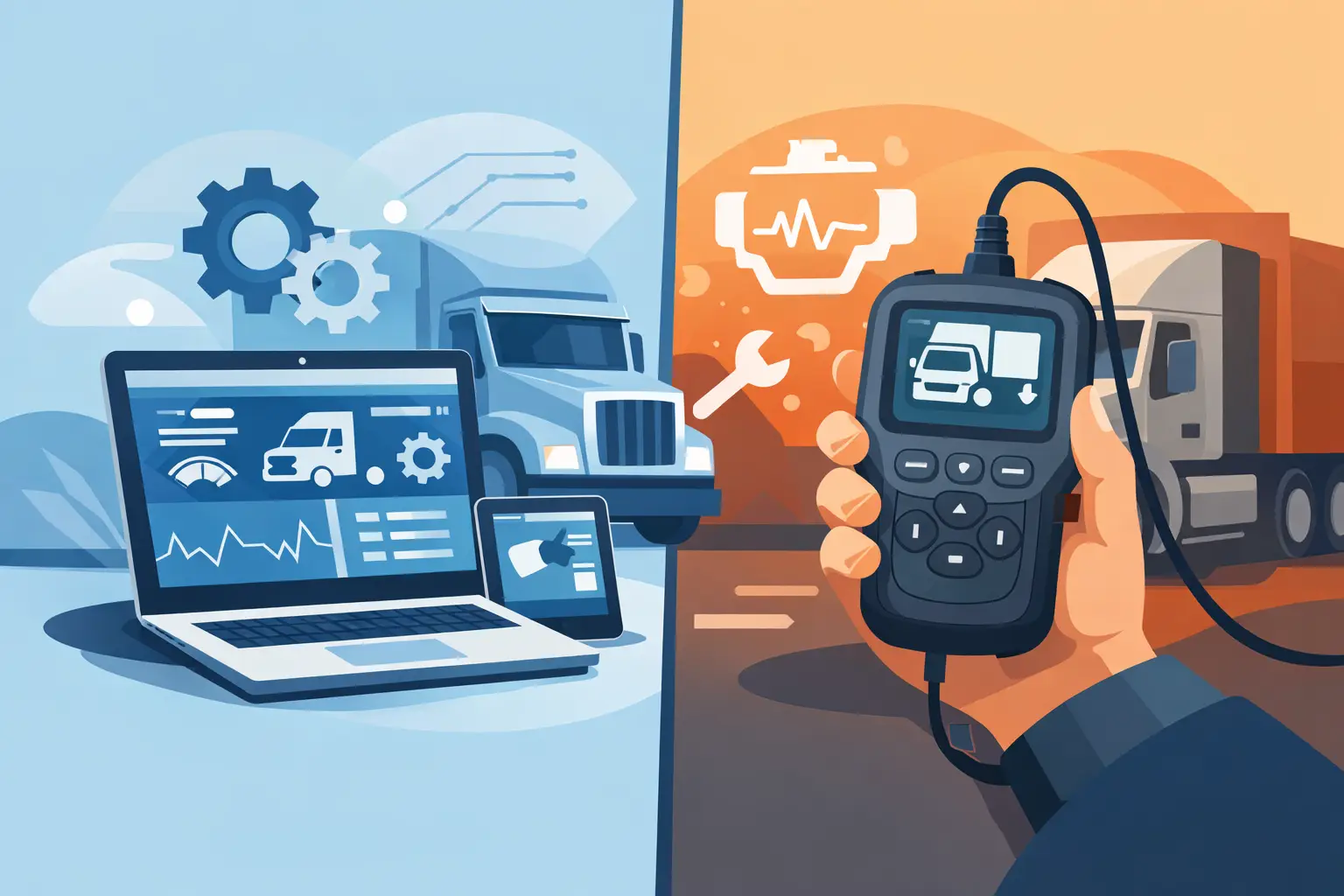
A generic code pull on a Class 8 truck can point you in the right direction. It usually does not finish the job. That is the real difference in the truck diagnostic software vs scanner decision. If your work stops at reading and clearing active faults, a scanner may be enough. If you need parameter changes, forced regens, injector cutout tests, calibration support, ECU programming, security access, or OEM-level troubleshooting, software becomes the tool that actually moves the repair forward.
For shops, fleet departments, and independent diesel technicians, this is not a theoretical comparison. It affects downtime, labor efficiency, parts accuracy, and how often a truck still has to go back to the dealer. The wrong tool creates repeat visits and dead-end diagnostics. The right tool expands what you can complete in-house.
Truck diagnostic software vs scanner: what changes in the bay
A scanner is usually a hardware device with built-in menus designed to communicate with vehicle systems through standard protocols. On trucks, that often means J1939, J1708, OBD functions on medium-duty platforms, and selected OEM coverage depending on the tool. A scanner is typically faster to deploy. Plug it in, identify the vehicle, pull fault codes, view limited live data, run a few service routines if supported, and make a decision.
Diagnostic software is different. It is usually laptop-based or tablet-based, tied to a communication adapter, and built around a deeper service environment. Instead of just reading modules, software often exposes OEM menus, subsystem tests, configuration pages, calibration procedures, parameter programming, and guided troubleshooting trees. In practical terms, the software is not just reading the truck. It is interacting with the truck at a much higher level.
That distinction matters most when the issue is not obvious. A scanner can tell you there is an aftertreatment fault. Software can show soot load, command a parked regen, verify differential pressure response, monitor doser activity, and sometimes support resets or learned value procedures after repairs. Those are very different levels of capability.
Where a scanner still makes sense
Scanners are not obsolete, and for some operations they are the better buy. If your shop handles mixed truck brands and needs fast triage, a good scanner is useful because it reduces setup time and gives broad coverage from one device. For mobile service calls, roadside fault checks, pre-purchase inspections, and basic maintenance workflows, a scanner can be the faster tool.
It also makes sense when the repair decision is simple. If you are confirming an inactive code history, checking basic engine data, clearing faults after a straightforward sensor replacement, or validating a MIL complaint, a scanner can cover the work without dragging a full software setup into the process.
Cost and training are part of the equation too. A scanner is usually easier to hand off between technicians. The user interface is simplified, and the risk of changing protected parameters is lower. In shops where the workflow is built around inspection and basic repair, that simplicity can be a strength.
The limitation shows up when the truck needs more than confirmation. Once a fault requires subsystem activation, module replacement setup, security-related access, or OEM test routines, many scanners stop being productive.
Where diagnostic software earns its place
Truck diagnostic software becomes essential when the job requires control, not just visibility. The most obvious example is bidirectional testing. If you need to command an actuator, cycle a fan clutch, run an EGR valve test, cut out cylinders, trigger injector functions, or force aftertreatment service procedures, software is often the only reliable path.
Programming and configuration are even more decisive. Many trucks now require module setup after replacement. An ECM, ACM, CPC, body controller, or instrument module may need coding, parameter transfer, calibration files, or password-protected functions before the vehicle is serviceable. A scanner may identify the new module. It often cannot finish commissioning it.
This is where brand-specific software separates itself from multi-brand handheld tools. OEM-level applications are built around the exact logic, menus, and service events used by dealer networks. That means deeper data lists, better subsystem naming, more complete test coverage, and access to functions that generic platforms either hide or do not support.
For professionals who are trying to reduce dealer dependence, that depth is the point. It is the difference between diagnosing the problem and closing the ticket.
Coverage is not the same as capability
A common buying mistake is assuming that vehicle coverage equals function coverage. A scanner may list dozens of truck brands and systems, but that does not mean it can perform OEM-level work on all of them. In many cases, coverage means it can communicate, read faults, display some live data, and perform selected resets. That is useful, but it is not the same as programming support or factory routine access.
Software usually has narrower brand alignment, but much deeper capability inside that brand. If your shop sees a high volume of Cummins, DAF, MAN, or another specific platform, dedicated software often returns more value than a broad scanner with partial support. The same applies when your customer base includes agricultural and industrial engines that share diagnostic architecture with commercial vehicle applications.
Before buying either category, the real question is not, “Does it cover this truck?” It is, “What exact functions are available on this engine, aftertreatment system, transmission, and controller?” That is where repair profitability is decided.
Hardware, adapters, and workflow reality
Another practical difference in truck diagnostic software vs scanner is the support hardware around it. A scanner is mostly self-contained. Software usually depends on a Windows laptop, proper drivers, a compatible communication adapter, and sometimes brand-specific setup steps. That adds complexity, but it also allows a much more flexible service environment.
In a professional shop, that trade-off is usually manageable. A dedicated diagnostic laptop and known-good adapter become part of the bay setup, just like a pressure kit or oscilloscope. Once configured correctly, software workflows are not slower. They are simply more deliberate.
The key is matching the platform to the technician. If the shop needs a grab-and-go device for quick checks, the scanner stays valuable. If the shop is building a serious in-house diagnostic lane, software should be viewed as infrastructure, not an accessory.
Cost is more than purchase price
On paper, a scanner often looks like the lower-cost option. In practice, the cheaper tool can become more expensive if it forces outside programming, repeated sublet work, or unnecessary parts replacement because the test depth was not there.
Software can carry higher entry cost once you include the adapter, laptop, licensing, and any brand-specific utilities. But if it allows your team to complete one more level of repair in-house, the return can be fast. A single avoided tow to the dealer, one successful parameter setup after module replacement, or one correct aftertreatment diagnosis instead of multiple parts guesses can justify the difference.
That is why professional buyers should calculate capability cost, not just purchase cost. What revenue stays in the shop? What downtime is avoided? What jobs stop leaving the building?
Which tool fits which operation
For a mobile technician, independent owner-operator, or small fleet doing basic fault verification and service resets, a quality scanner may be the correct first purchase. It gives portability, broad use, and low setup overhead.
For an independent diesel shop, fleet maintenance department, or specialist working on emissions systems, programming, calibrations, and controller replacement, diagnostic software is usually the more serious answer. The broader your service responsibility, the less sense it makes to rely on a tool that only reads symptoms.
A lot of professional operations end up with both. The scanner handles intake and fast triage. The software handles the jobs that require dealer-grade function. That is not redundancy. It is workflow efficiency.
If you are evaluating tool access for a specific brand mix, a source like SYSTEMRTX is relevant because the decision often comes down to exact software version, supported functions, adapter requirements, and whether the package fits your service model instead of generic marketing claims.
The better question to ask before you buy
Do not ask whether software is better than a scanner in general. Ask what work you need to complete without outside support. If that work includes programming, unlock functions, factory tests, calibration procedures, or protected service routines, you are already in software territory.
If your workflow is mostly code retrieval, basic data review, and quick service confirmation, a scanner may be all you need right now. But if trucks are leaving your bay because you can identify the issue and still cannot execute the repair, then the tool gap is already costing you money.
The right platform is the one that matches the next level of work your shop wants to own. Buy for that level, not just for the first screen that reads fault codes.