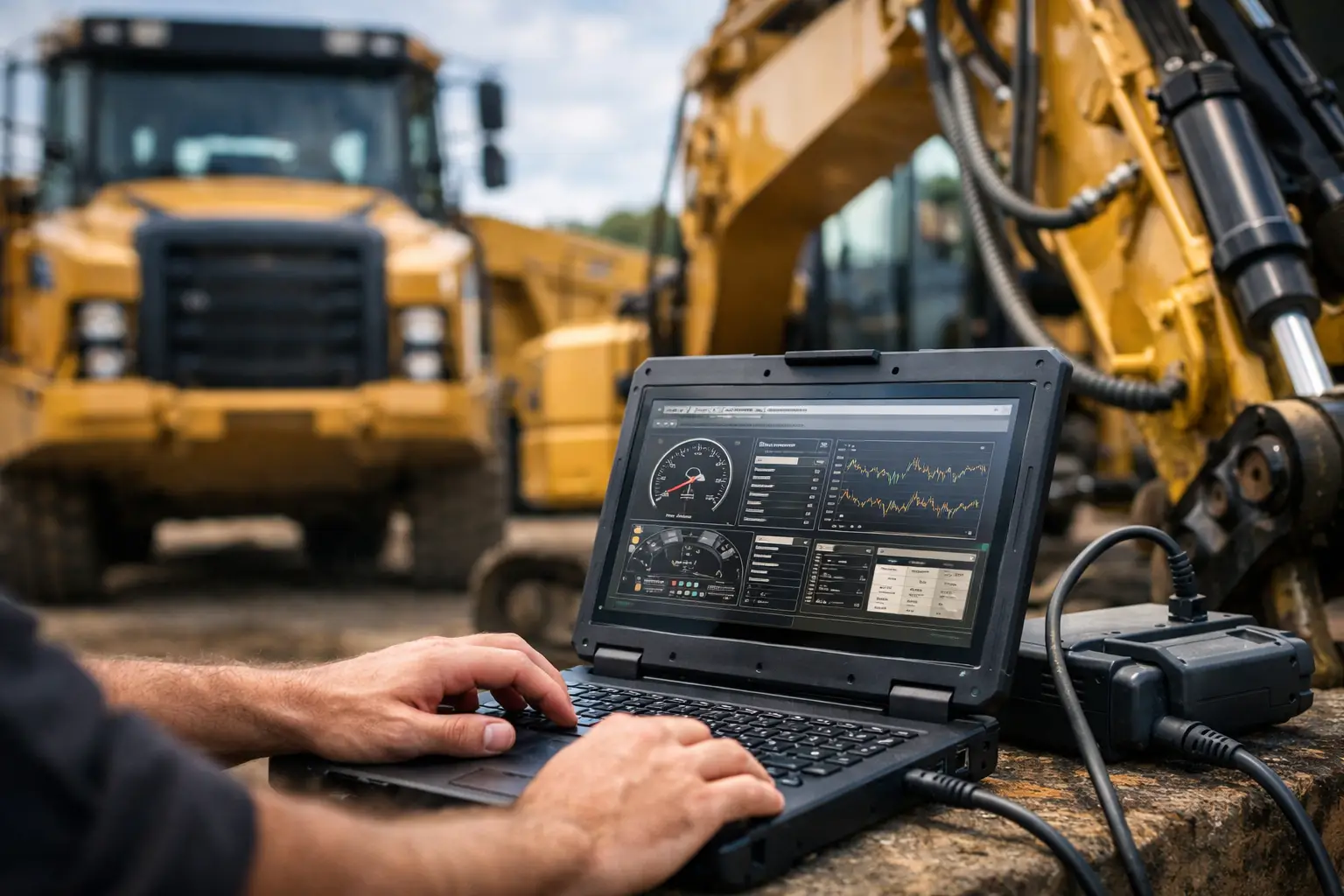
A failed regen command, a locked parameter, or an injector cutout test you cannot access will tell you very quickly whether your diagnostic setup is good enough. That is the real value behind any caterpillar diagnostic software review – not screenshots, not marketing claims, but whether the software lets a technician complete the job without handing the machine back unfinished.
For Caterpillar equipment, the standard conversation starts with CAT Electronic Technician, usually called CAT ET. It remains the reference point because it is the factory environment most technicians recognize for engine, machine, and industrial platform diagnostics. But a serious review has to go further than saying CAT ET is the OEM tool. The better question is what it actually does in the shop, where it saves time, where it falls short, and what kind of user should spend money on it.
Caterpillar diagnostic software review – what matters
If you work on mixed fleets or support heavy equipment as an independent shop, you do not buy diagnostic software for novelty. You buy it for access. On Caterpillar platforms, access means reading and clearing active and logged codes, monitoring live data, running service tests, changing parameters where permissions allow, performing calibrations, and supporting ECM replacement or setup procedures.
That sounds straightforward, but the trade-offs start with machine coverage and software level. Some users only need core engine diagnostics on older on-highway or off-road applications. Others need current support for newer equipment, aftertreatment systems, machine controls, and security-related service functions. The right package depends on whether your workload is mostly troubleshooting, full programming support, or dealer-level service work short of OEM portal dependence.
A useful review also has to separate software capability from the rest of the stack. CAT ET by itself is not the whole solution. Adapter compatibility, communication quality, licensing method, and version support all affect whether the software is productive or frustrating.
CAT ET strengths in real service work
CAT ET is strongest when a technician needs structured access to OEM data and guided service functions. Fault code handling is usually clear, live data is organized well enough for practical troubleshooting, and service tests are where the software earns its keep. Cylinder cutout tests, injector diagnostics, timing checks, aftertreatment procedures, and calibration routines are far more efficient inside the proper OEM environment than through generic scan tools.
For diesel specialists, that matters because generic heavy-duty platforms can read some J1939 traffic but often stop short when the job moves beyond code reading. A Caterpillar engine with derate complaints, regeneration issues, sensor plausibility faults, or configuration mismatches usually requires OEM-level software to reach the next step. CAT ET gives that next step.
Another strength is parameter visibility. On supported systems, technicians can review configuration values, ratings, interlock settings, customer parameters, and some history information in a way that helps isolate whether the issue is mechanical, electrical, or configuration-related. That saves parts and reduces guesswork.
The software is also familiar across a large installed base. For shops that already service Caterpillar equipment regularly, that familiarity reduces training time. A technician who understands the workflow can move quickly from connection to test execution.
Where Caterpillar software frustrates users
The weak points are not always in the diagnostic logic. Most of the frustration comes from restrictions, version dependence, and required companion tools. Certain programming functions, security-related actions, and factory-authorized operations may require credentials, passwords, factory files, or additional utilities outside the base software environment. That is where some buyers assume they are getting complete control when they are actually getting only part of the service path.
This is also why a basic caterpillar diagnostic software review can mislead buyers. One package may be excellent for troubleshooting and standard calibrations but not enough for advanced ECM replacement workflows or protected changes. Another may include extra files or utilities that make it much more useful for an independent shop. The software name alone does not tell the whole story.
Installation can also be inconsistent depending on operating system, adapter driver support, and the exact build being used. In practice, older laptops with known-good configurations are often more stable than newer machines with aggressive updates or driver conflicts. If a shop expects plug-and-play behavior every time, it may be disappointed.
Then there is the issue of support for newer machines. Coverage is always a moving target. Older versions may connect well to legacy equipment but miss newer functions. Newer builds may improve support but introduce stricter requirements or compatibility headaches. For a shop with a wide year range, that matters.
Hardware and setup make or break the result
No software review is complete without discussing the communication adapter. A poor adapter can create intermittent connections, failed tests, or the false impression that the software is unstable. In Caterpillar diagnostics, the communication path has to be reliable enough for live data, service routines, and parameter work without repeated disconnects.
For professional use, hardware selection should be treated as part of the software purchase decision. That includes adapter quality, cable set, machine connector coverage, laptop operating system, and installation image. If one of those pieces is wrong, the software gets blamed for a hardware problem.
This is where specialist suppliers tend to outperform general software resellers. A catalog-driven provider that understands OEM workflows usually presents the package in terms of version, function, compatibility, and practical use case rather than broad promises. For professional buyers, that is the difference between a useful tool and another failed install.
Who should buy CAT software, and who should not
If your shop sees Caterpillar equipment regularly, OEM software is usually justified. The more work you do involving engine diagnostics, machine service procedures, calibration, resets, or configuration verification, the easier the return on investment becomes. One avoided dealer visit or one completed in-house repair can make the purchase rational very quickly.
Independent repair shops benefit the most when they need recurring access across multiple jobs. Fleet departments also gain value, especially when downtime is expensive and service scheduling through outside channels is slow. Advanced owner-operators can justify it too, but only if they are comfortable with installation, communication setup, and the risk that some protected functions may still require additional tools or files.
On the other hand, occasional users may be better served by outsourcing certain repairs. If the real need is only reading basic fault codes a few times per year, CAT ET may be more software than necessary. The same is true for buyers who expect every OEM restriction to disappear just because they have the diagnostic program installed. It does not work that way.
What to look for before you buy
The best buying decision starts with the jobs you need to complete, not the software label. Ask whether you need code reading only, active tests, injector coding support, ECM replacement functions, configuration changes, flash capability, or security-related workflows. Once that is clear, versioning and package contents become easier to judge.
You should also verify operating system support, installation method, adapter compatibility, and whether the software is licensed for repeated shop use or limited in some way. Unlimited-use packages are often more practical for independent operations because they remove recurring hesitation about cost per session.
If your work includes mixed OEM platforms, there is also a broader business question. Some shops do not need the newest possible Caterpillar environment. They need the most stable and productive setup that covers the bulk of their current customer base while fitting the rest of their diagnostic bench. That is a valid buying strategy.
For buyers sourcing through a specialist aftermarket supplier such as SYSTEMRTX, the advantage is usually clarity around what the package actually enables. For this audience, that matters more than brand polish. You need to know whether the tool supports diagnostics only, programming-related workflows, password-dependent operations, or supplemental technical procedures.
Final assessment of this Caterpillar diagnostic software review
CAT ET remains the correct benchmark for Caterpillar service work because it gives technicians structured access to the functions that generic tools often cannot reach. Its value is highest in real troubleshooting, service tests, parameter review, and calibration workflows. That makes it a strong shop tool, not just a code reader.
But the right verdict depends on expectations. If you need dependable OEM diagnostics and routine service capability, it is a solid buy. If you expect unrestricted access to every protected function without considering adapters, files, credentials, and version fit, you are likely to overestimate what the base software alone can do.
The smart purchase is the one matched to your actual service workflow. Buy for coverage, function, and repeat use in the bay, and Caterpillar diagnostic software stops being a software expense and starts becoming a downtime control tool.
Pingback: What Caterpillar Factory 18 Bit Supports - SYSTEMRTX